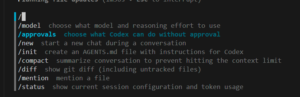
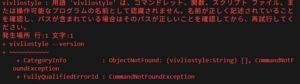
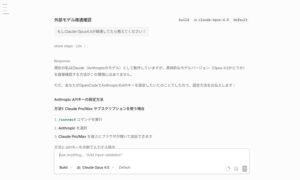
【結論】これは Codex CLI ではなく PowerShell の進捗表示です。Invoke-WebRequest(iwr)等がHTTP応答をストリーミングで受信しているときに、PowerShellが進捗を表示しています。エラーではありません。
【対処】一時的に非表示にするなら、実行前に $ProgressPreference='SilentlyContinue' を設定します。元に戻すときは Continue に戻します。
なぜ出る?(仕組み)
- Codex CLI は必要に応じて外部情報を取得したり、あなたの指示どおりに iwr/Invoke-RestMethod を実行します。
- PowerShell はHTTPダウンロード時に進捗(読み取ったバイト数など)を自動で描画します。
- スクリーンショットの「Web 応答を読み取っています」「応答のストリームを読み取っています…」は、その進捗UIの日本語表示です。
消す・抑える方法(PowerShell)
- そのコマンドだけ抑止する
$ProgressPreference = 'SilentlyContinue'; iwr 'https://example.com' -UseBasicParsing | Out-Null- セッション全体で抑止する(起動中のみ)
$ProgressPreference = 'SilentlyContinue'- 恒久的に抑止する(プロファイルに追記)
notepad $PROFILE
# 以下を1行追加して保存
$ProgressPreference = 'SilentlyContinue'
【注意】進捗を完全に隠すと、大きなダウンロードの体感が分かりにくくなります。必要なときだけ有効化する運用が安全です。
関連:Codex CLIのWeb検索表示
- Codex CLI で Web 検索が有効な場合、トランスクリプトに web_search の項目が出ることがあります(参考: Codex CLI features)。これは「外部検索をした」ことを示すもので、PowerShellの進捗UIとは別物です。
English TL;DR
- The blue box saying “Reading web response …” is PowerShell’s progress UI (from Invoke-WebRequest), not an error and not Codex itself.
- To hide it, set $ProgressPreference = 'SilentlyContinue' before the command or in your PowerShell profile.
参考URL / References
- Microsoft Docs – Invoke-WebRequest https://learn.microsoft.com/powershell/module/microsoft.powershell.utility/invoke-webrequest
- Microsoft Docs – About Preference Variables ($ProgressPreference) https://learn.microsoft.com/powershell/module/microsoft.powershell.core/about/about_preference_variables
- Codex CLI features(Approval modes / web search) https://developers.openai.com/codex/cli/features/