One day, I suddenly saw this error in VS Code's GitHub Copilot Chat:
You have exceeded your premium request allowance. We have automatically switched you to GPT-4.1.
"Wait, did I exceed my ChatGPT (OpenAI) limit?" I panicked for a moment. But actually, this is a GitHub Copilot limit.
In this article, I'll explain what this error really is, why I chose to set a "$5 monthly budget" as a solution, and why I believe you should pay for it.
The Real Issue: It's GitHub, Not OpenAI
This message means you have used up your Premium Requests quota in VS Code's GitHub Copilot Chat.
The important thing is that this is NOT a ChatGPT (OpenAI) plan limit, but a GitHub Copilot billing quota.
I initially looked for OpenAI settings, but the correct place was GitHub settings.
The Solution: Setting a Budget on GitHub
"I'm scared of unlimited billing." "But I don't want to endure low-performance models."
So, I chose to "pay with a $5 monthly cap". This way, I don't have to worry about overspending, but I can use high-performance models when I need them.
Steps
- Go to GitHub Settings > Billing and plans > Budgets and alerts.
- Click Edit monthly budget.
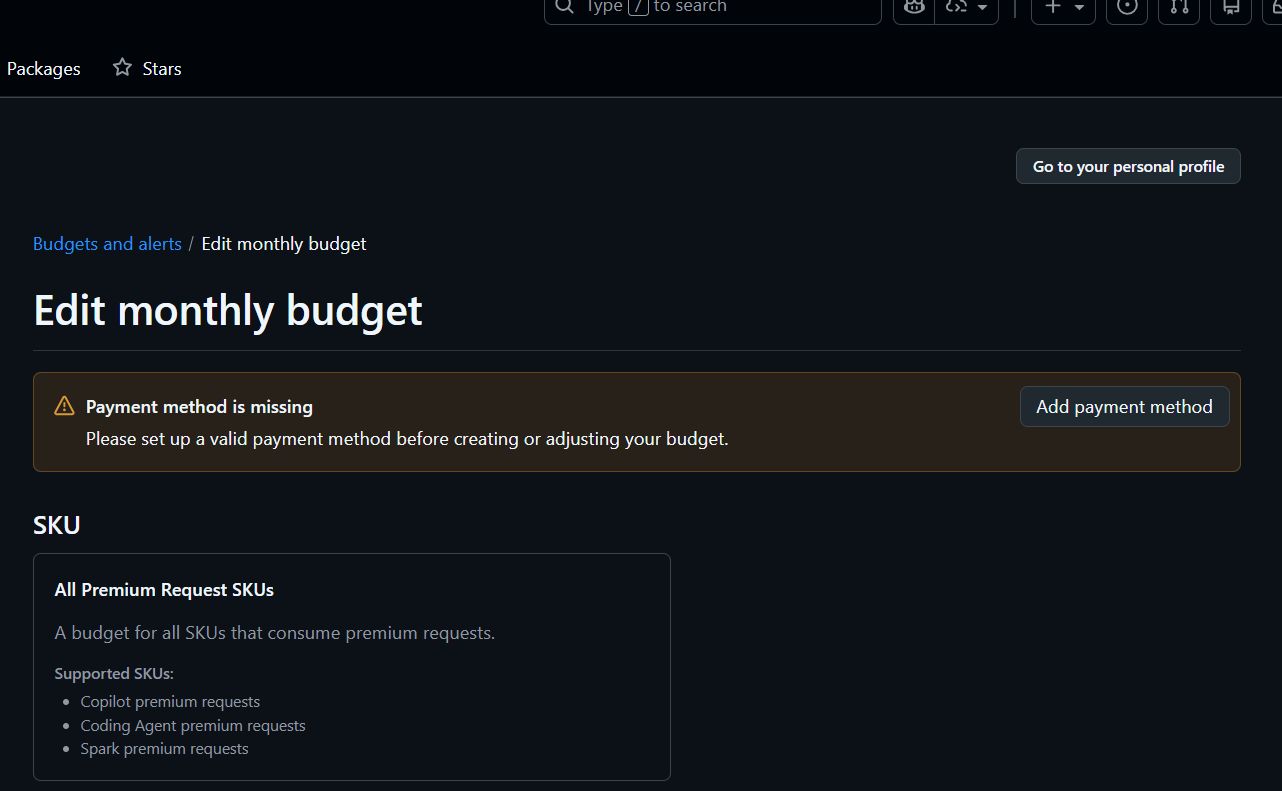
If you see "Payment method is missing" here, you need to add a payment method. This is proof that it's a "GitHub issue".
- The target SKU is Copilot premium requests.

- Set the budget. I set it to $5. And most importantly, check "Stop usage when budget limit is reached". This ensures it stops automatically when it exceeds $5, so you'll never get a huge bill.
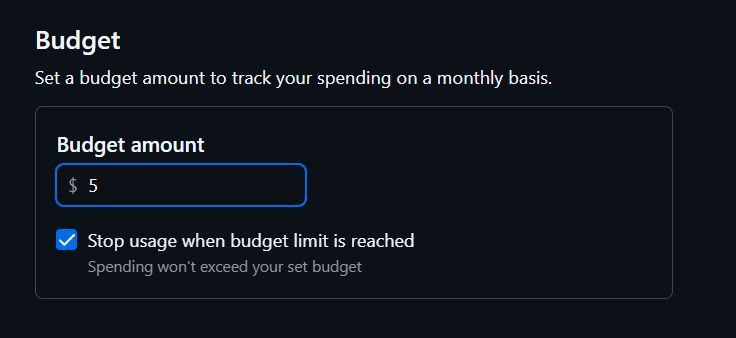
When the setting is complete, you'll see a notification like this.

The Result: Even Using Gemini 3 Pro…
After setting it up, I used it heavily. In my environment, Gemini 3 Pro is selected as the model.
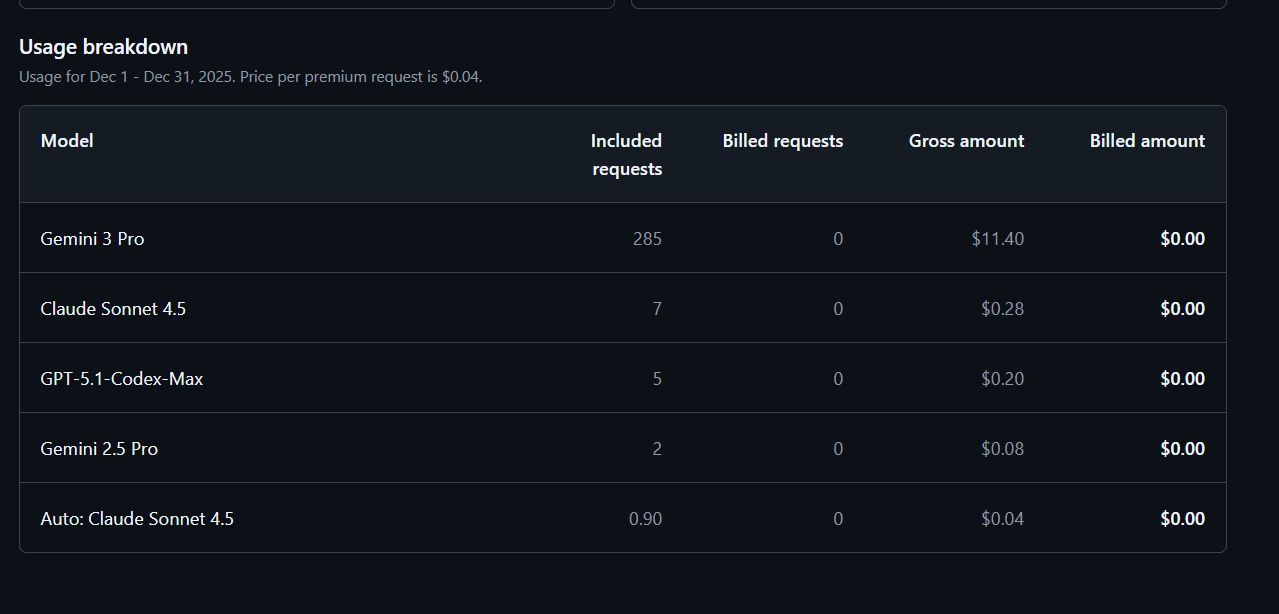
I was surprised by the result. Even after 285 requests with Gemini 3 Pro, the bill is $0.00.
This is because GitHub Copilot has "Included requests" (free tier) built-in. So, even if you set a $5 budget, you only start paying after you use up the free tier.
For my usage (coding, architecture discussion, writing), I found that a $5 budget provides more than enough buffer.
Conclusion: Invest in Your Tools
If you do programming, writing, or research as "work", I definitely recommend paying for this.
Copilot and AI are not just convenient tools, they are "Cost of Goods Sold" (COGS). If it saves you 10 or 20 minutes, you can recover $5 or $10 in an instant.
Conversely, the time spent "worrying unnecessarily" or "getting stuck" because you're being cheap is much more expensive.
- $5/month
- Stop limit enabled
With this setting, the risk is zero. Stop "just enduring" and switch to a setting where you can intentionally use AI to its fullest.