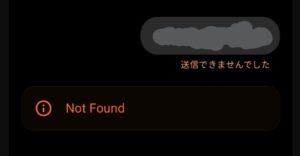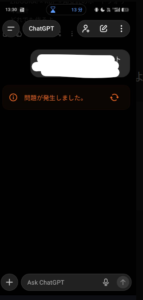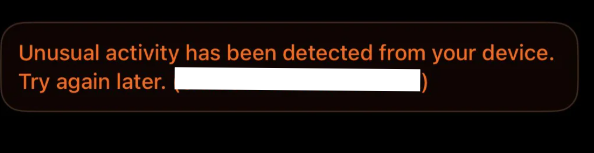
Many users suddenly see the message “Unusual activity from your device” when trying to use ChatGPT. This alert has become more common across 2024–2025 and appears even when people are not using VPNs or doing anything unusual. While the wording can feel alarming, this message is not a ban notice. In most cases, it is a temporary security reaction triggered automatically by ChatGPT’s protection system.
This guide explains why the message appears, what causes it, and the specific steps you can take to fix it as quickly as possible.
Why This Message Appears: The Essentials
ChatGPT uses automated monitoring to protect accounts and prevent abuse. When the system detects activity that differs from your usual behavior, it may temporarily block access. This often happens even when the user has done nothing wrong.
The key point is that the restriction is usually short-term and clears automatically.
Common situations that lead to this message include:
- Very frequent requests in a short time
- A changing or unstable IP address
- Access from shared networks (schools, offices, public Wi-Fi)
- VPN or proxy-like network behavior
- Server-side overload or false detection on OpenAI’s side
Because many users share the same network environment, the system may misinterpret normal traffic as unusual.
Quick Fixes: The Top Five Methods That Work for Most Users
If you want to return to ChatGPT immediately, start with these steps. They are safe and effective.
- Switch your network
Move from shared Wi-Fi to mobile data (4G/5G). This is the most reliable fix. - Restart your browser
This refreshes your session and removes unstable connection data. - Clear cache and cookies
Old login data can trigger security checks. - Disable any VPN or proxy completely
Even background VPN settings can cause this alert. - Wait 10–60 minutes and try again
Many users recover automatically after a short cooling period.
These five actions resolve the error for the majority of cases.
When the Message Appears Most Frequently: Real-World Patterns
Based on many reports worldwide, the alert often shows up under these conditions:
- You sent many prompts or generated many images in a short period
- Your mobile network switched IP addresses rapidly
- You were using a school, company, or hotel Wi-Fi network
- You connected through a public Wi-Fi hotspot
- ChatGPT was under heavy load at the time
Shared networks are especially prone to triggering the message because multiple users may appear as “one” to the system.
Understanding the Causes in Detail
VPN or Proxy Detection
VPN IPs are shared by many people, so ChatGPT may block them to prevent automated abuse.
IP Fluctuation (Mobile Data)
Mobile networks rotate IP addresses regularly, which may look suspicious to the system.
Shared Wi-Fi Issues
If someone else on the same network triggers a limit, you may be affected even if your behavior is normal.
False Positives During High Load
When servers are busy, the security system sometimes reacts more aggressively.
Understanding these patterns helps prevent confusion the next time an alert occurs.
If the Issue Still Does Not Clear
Try the following additional steps:
- Log in from a different browser (Chrome → Edge, Safari → Chrome, etc.)
- Try a different device such as your phone or tablet
- Restart your router to reset your local network
- Review your login history for unusual activity
- Contact OpenAI support with details (error message, time, network environment)
For business or academic use, contacting support early ensures stable access.
Summary
“Unusual activity from your device” is a temporary security alert, not a ban. It appears when ChatGPT detects something unexpected in your network behavior, but most cases resolve quickly with simple steps such as switching networks, refreshing your browser, or waiting a short time.
Knowing the causes and fixes allows you to return to your work smoothly and avoid unnecessary stress.
References (Title + Raw URL)
- ChatGPT: What to do when “Unusual activity from your device” appears
https://t-cr.jp/article/iw71it884pc9ee9 - Unusual activity detected – Explanation and solutions
https://www.carlotaesfeliz.com/unusual-activity-has-been-detected/ - ChatGPT Down? Status updates and known issues
https://www.techradar.com/news/live/chatgpt-down-june-10