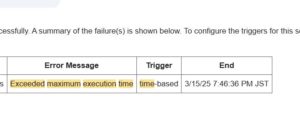
This error appears when the JavaScript parser encounters something that “should not exist” at that position. In practice, the causes are highly predictable. Here is the compact checklist I use in real GAS development projects.
■ 1. Missing commas or brackets
The most common cause.
const obj = {
  name: "Taro"
  age: 20  // missing comma
};
Check:
- commas in objects/arrays
- missing
)or} - unclosed
if,for, or function blocks
■ 2. Unclosed template literals
const text = `Hello ${name};
If the closing backtick is missing, everything breaks.
■ 3. Variable declaration glitches
Missing semicolons or declaring the same const twice may trigger this.
■ 4. Invisible full-width spaces
Copied code may contain Unicode spaces:
const name = "Taro"; // full-width space
■ 5. Unsupported syntax in GAS
GAS does not support import, export, or require.
■ 6. Quickest real-world fix flow
- Check the line and the line above it.
- Look for missing comma, bracket, or backtick.
- Delete and manually rewrite the suspicious part.
- Run auto-formatting (Ctrl+Shift+I).
- Test with small logs.
■ 7. Before/After example
Before (error):
const user = {
  name: "kazu"
  email: "test@example.com"
}
After:
const user = {
  name: "kazu",
  email: "test@example.com",
};
Ref
- JavaScript SyntaxError — MDN
https://developer.mozilla.org/en-US/docs/Web/JavaScript/Reference/Errors/Unexpected_identifier - Google Apps Script – JavaScript Language Features
https://developers.google.com/apps-script/guides/services/javascript