When using the Codex CLI, you might suddenly encounter a stream of errors like this, bringing your workflow to a halt:
stream error: Failed to refresh token: 401 Unauthorized; retrying 1/5 in 187ms...
stream error: Failed to refresh token: 401 Unauthorized; retrying 2/5 in 435ms...
...
Failed to refresh token: 401 Unauthorized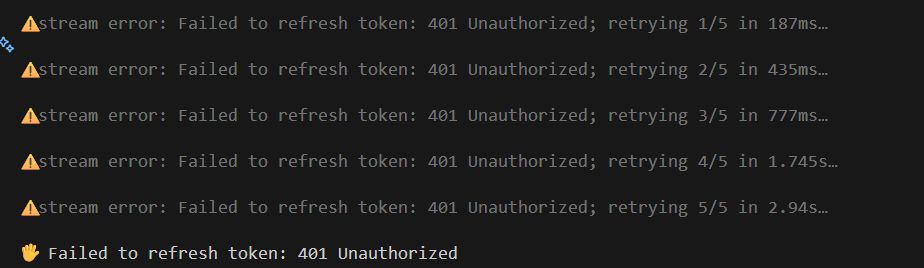
In short, this error means "Your authentication token is corrupted or expired, and automatic refresh is failing." It's rarely a server-side issue. You can fix it 99% of the time by simply resetting your local authentication credentials.
The Fix: Just Re-login
Run the following commands:
codex logout
codex login
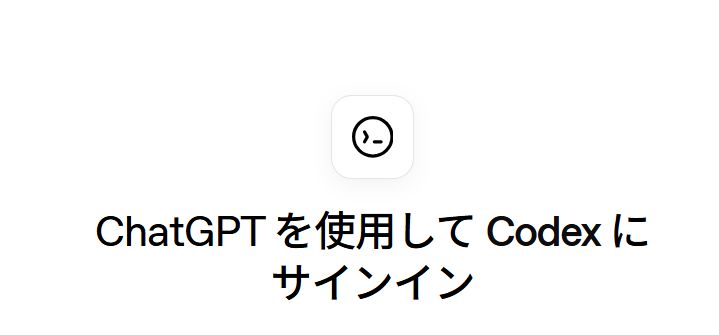
That's it. Executing codex login will open your browser and show a "Sign in to Codex using ChatGPT" screen.
- Logout: Discard the old token
- Login: Opens the authentication screen in your browser
- Approve: Click "Continue" or "Allow" to complete authentication
Once authentication is successful, return to your terminal and you should be good to go.
Why Does This Happen?
Failed to refresh token: 401 Unauthorized indicates that the "Refresh Token" (the key used to get the next Access Token) held by the CLI has been rejected.
This is common in the following scenarios:
- Switching Tools: Frequently moving between ChatGPT, Copilot, and Codex.
- Switching Accounts: Immediately after logging in with a different account.
- VPN Taggling: Attempting authentication when your IP address has changed.
- Idle Time: Leaving the CLI running for a long period.
The CLI tries its best to say, "The token is expired! Let's refresh it!", but since the refresh request itself is rejected, it enters a retry loop (Retrying 1/5…).
The fastest solution is for the human user to manually logout and force a fresh authentication from zero.
If That Doesn't Work
If the error persists even after re-logging in, your cache files might be corrupted. Try manually deleting the following directories and then attempt to login again.
# Mac/Linux
rm -rf ~/.codex
rm -rf ~/.config/codex

# Windows (PowerShell)
Remove-Item -Recurse -Force "$env:APPDATA\codex"
Also, if you are setting the OpenAI API key via an environment variable (OPENAI_API_KEY), check if the key itself has not been revoked or expired.
Summary
If you see 401 Unauthorized in Codex, "Logout and Login immediately". Problem solved.
Recovery Command: codex logout && codex login
