Overview
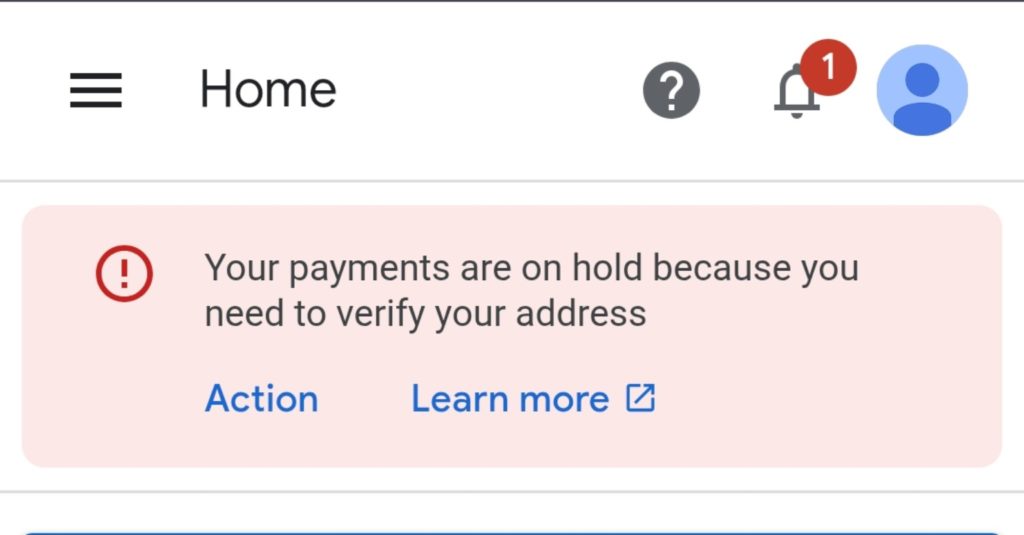
The message “Your payments are on hold because you need to verify your address” appears when AdSense requires physical address verification before releasing payments. This is a mandatory step triggered once your earnings reach the verification threshold.
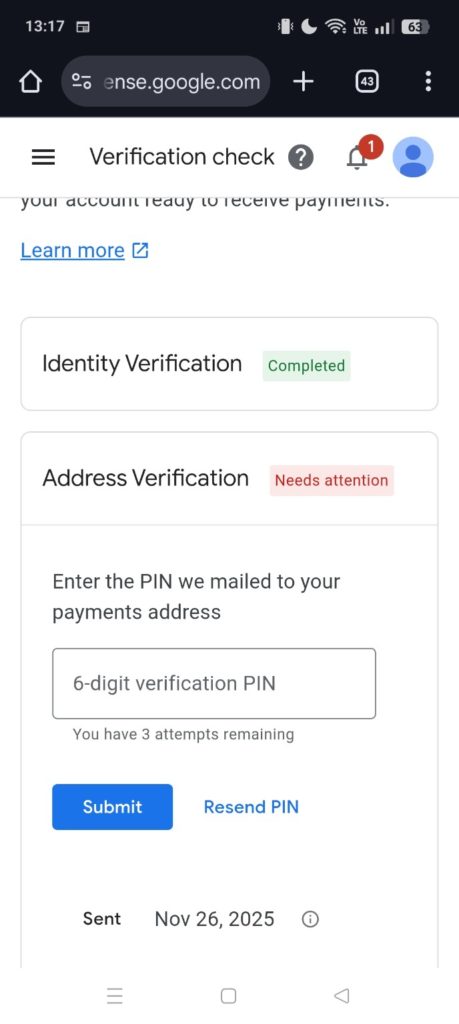
This article is based on an actual case where the PIN was sent on November 26, 2025, and the account showed Needs attention for Address Verification while using a smartphone (Chrome browser).
Why This Warning Appears
AdSense sends a physical PIN (6‑digit code) to your registered payment address. This is required to:
- Prevent fraudulent payouts
- Confirm that the address is real and reachable
- Finalize your account before any payments are issued
Until you enter the PIN, AdSense places payment on hold.
What the Verification Screen Looks Like
You may see the following:
- Identity Verification → Completed
- Address Verification → Needs attention
- Input field for the 6‑digit PIN (3 attempts available)
- PIN Sent Date → Nov 26, 2025
How Long PIN Delivery Takes
Google notes that PINs typically arrive within 2–4 weeks, but delivery may take up to 6+ weeks depending on location.
Common Reasons for Delay
- Holiday seasons or heavy mail periods
- International routing delays
- Missing apartment/building number
- Incorrect ZIP/postal code
What to Do If Your PIN Hasn’t Arrived
1. Request a New PIN
Use the Resend PIN button in the AdSense dashboard. You can request up to three PINs.
2. Check Your Address Carefully
Ensure the following:
- Full building name and room number included
- Correct postal code
- Accurate Romanized spelling (if applicable)
If the address was incorrect, update it before requesting another PIN.
3. Contact Your Local Post Office
Some international mail items get held at a local distribution center. Your PIN letter may be there.
4. Use Identity Documents for Address Verification (Final Option)
If you fail to receive multiple PINs, AdSense unlocks a manual upload option. You can submit:
- Utility bills
- Government‑issued documents
- Bank statements
This step becomes available only after max attempts or repeated failures.
Important Notes
- PIN is strictly 6 digits.
- You only have 3 attempts to enter it correctly.
- PIN validity period is typically 4 months.
- Letters often come in simple envelopes and may look like generic mail.
Summary
The AdSense address verification hold is a standard and unavoidable process. Although delays happen—especially around late‑year mailing periods—most PIN letters eventually arrive. Use the resend option, correct your address if needed, and utilize document upload as a final fallback.
Reference URLs
- Google AdSense Help: Verify your address – https://support.google.com/adsense/answer/91847
- Google Payments Help: Account verification – https://support.google.com/paymentscenter/answer/7164702
- Troubleshoot PIN verification issues – https://support.google.com/adsense/answer/9723
