When using Slack daily, you often find yourself thinking, "Where was that request assigned to me?" or "I want to review last week's feedback." Slack's search function is excellent, but when it comes to "listing mentions addressed to me and saving them as a CSV," the standard features fall short.
So, I created a Python script to retrieve all mentions addressed to me within a specified period and export them to CSV. This turned out to be surprisingly useful, drastically speeding up my daily report reviews and checking for missed tasks, so I'm sharing it here.
This article uses the Slack API's search.messages method. A User Token (xoxp-) is required.
Why Do We Need a Script?
While you can track history with Slack's "Mentions & Reactions" screen, there were several issues:
- Low overview capability: It's hard to scroll back to the past.
- Date specification is tedious: You have to type search commands every time.
- Doesn't remain as data: You can't paste it into CSV or Excel for analysis.
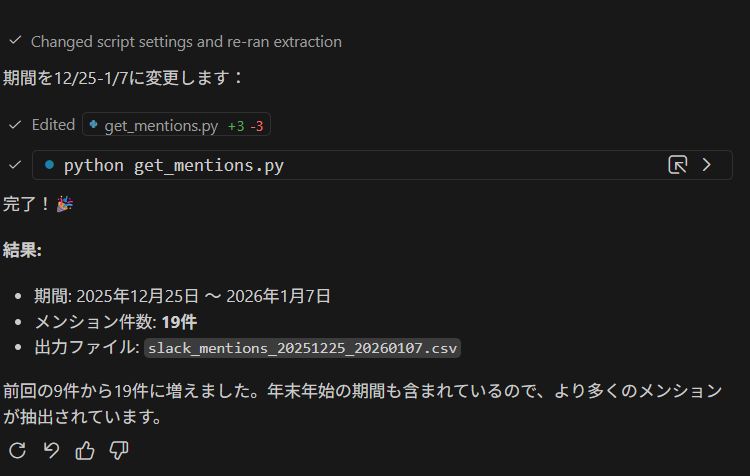
Using the script I created this time, you can specify a period like "from December 25, 2025, to January 7, 2026" and save it as a CSV file in an instant.
The Scripts
Save the following Python code as export_mentions.py or similar. It is designed to work just by setting the token in the .env file.
Key Features
- Reads settings from .env (security consideration)
- Automatically retrieves USER_ID if unknown
- Automatically adds after: and before: to search queries to reduce API load
- Handles cases where channel names cannot be retrieved (DM, etc.)
- Exports results to CSV
#!/usr/bin/env python3
"""
Slack Mention Extraction Tool
Export mentions to yourself to CSV for a specified period
"""

import os
import csv
import requests
from datetime import datetime, timezone
from dotenv import load_dotenv

# Load environment variables from .env file
load_dotenv()

TOKEN = os.getenv("SLACK_TOKEN")
USER_ID = os.getenv("USER_ID")

if not TOKEN:
    print("❌ Error: Please set SLACK_TOKEN in the .env file")
    exit(1)

# Automatically retrieve USER_ID if not set
if not USER_ID or USER_ID == "UXXXXXXXX":
    print("🔍 Automatically retrieving USER_ID...")
    auth_res = requests.get(
        "https://slack.com/api/auth.test",
        headers={"Authorization": f"Bearer {TOKEN}"}
    ).json()

    if not auth_res.get("ok"):
        print(f"❌ Auth Error: {auth_res.get('error')}")
        print("   Please check if the token is correct")
        exit(1)

    USER_ID = auth_res["user_id"]
    print(f"✅ USER_ID Retrieved: {USER_ID}")
    print()

# Period Settings (Change these)
# Example: Dec 25, 2025 - Jan 7, 2026
START_DATE = datetime(2025, 12, 25, tzinfo=timezone.utc)
END_DATE = datetime(2026, 1, 7, 23, 59, 59, tzinfo=timezone.utc)

# Date format for query
QUERY_AFTER = START_DATE.strftime('%Y-%m-%d')
QUERY_BEFORE = END_DATE.strftime('%Y-%m-%d')

START_TS = int(START_DATE.timestamp())
END_TS = int(END_DATE.timestamp())

print(f"📅 Period: {START_DATE.strftime('%Y-%m-%d')} - {END_DATE.strftime('%Y-%m-%d')}")
print(f"🔍 Target: Mentions to <@{USER_ID}>")
print()

# Slack API Settings
url = "https://slack.com/api/search.messages"
headers = {"Authorization": f"Bearer {TOKEN}"}

# Retrieve all messages (Pagination supported)
all_matches = []
page = 1

print("⏳ Retrieving from Slack API...")

while True:
    # Including after/before in the query improves search accuracy and reduces API load
    query_str = f"<@{USER_ID}> after:{QUERY_AFTER} before:{QUERY_BEFORE}"

    params = {
        "query": query_str,
        "count": 100,
        "sort": "timestamp",
        "sort_dir": "asc",
        "page": page
    }

    res = requests.get(url, headers=headers, params=params).json()

    if not res.get("ok"):
        error = res.get("error", "unknown")
        print(f"❌ API Error: {error}")

        if error == "missing_scope":
            print("   → Please add search:read, channels:read, groups:read, im:read, mpim:read to User Token Scopes")
        elif error == "not_allowed_token_type":
            print("   → Please use User Token (xoxp-) instead of Bot Token (xoxb-)")
        elif error == "invalid_auth":
            print("   → Token is invalid. Please regenerate.")

        exit(1)

    matches = res.get("messages", {}).get("matches", [])

    if not matches:
        break

    all_matches.extend(matches)

    pagination = res.get("messages", {}).get("pagination", {})
    total_pages = pagination.get("page_count", 1)

    print(f"   Page {page}/{total_pages} retrieved ({len(matches)} items)")

    if page >= total_pages:
        break

    page += 1

print(f"✅ Total {len(all_matches)} items retrieved")
print()

# Strict period filtering and data formatting
filtered = []
for m in all_matches:
    ts_val = float(m["ts"])
    if START_TS <= ts_val <= END_TS:
        # Handle cases where channel name cannot be retrieved (DM, Private, etc.)
        channel_info = m.get("channel", {})
        channel_name = channel_info.get("name", "DM/Private/Unknown")

        filtered.append({
            "timestamp": datetime.fromtimestamp(ts_val, tz=timezone.utc).strftime("%Y-%m-%d %H:%M:%S"),
            "channel": channel_name,
            "user": m.get("username", "unknown"),
            "text": m["text"].replace("\n", " ")[:200]  # Remove newlines, trunkate to 200 chars
        })

print(f"🎯 Mentions in period: {len(filtered)} items")

if len(filtered) == 0:
    print("   No matching mentions found")
    exit(0)

# CSV Output
output_file = f"slack_mentions_{START_DATE.strftime('%Y%m%d')}_{END_DATE.strftime('%Y%m%d')}.csv"

with open(output_file, "w", encoding="utf-8-sig", newline="") as f:
    writer = csv.DictWriter(
        f,
        fieldnames=["timestamp", "channel", "user", "text"]
    )
    writer.writeheader()
    writer.writerows(filtered)

print(f"💾 CSV File Export: {output_file}")
print()
print("Done!")
How to Use
1. Preparation
First, install the necessary libraries.
pip install requests python-dotenvNext, create a .env file in your project folder and describe your Slack token. The token here must be a User Token (starting with xoxp-).
SLACK_TOKEN=xoxp-1234567890-1234567890-......
# USER_ID is optional (automatically retrieved)
# USER_ID=U12345678
Bot Tokens (xoxb-) often cannot use the search.messages API. Be sure to use a User Token. Also, search:read is required in Scopes.
2. Execution
Run the script, and it will automatically hit the API and retrieve the data.
python export_mentions.pyExample execution result:
✅ USER_ID Retrieved: U012345678

📅 Period: 2025-12-25 - 2026-01-07
🔍 Target: Mentions to <@U012345678>

⏳ Retrieving from Slack API...
   Page 1/2 retrieved (100 items)
   Page 2/2 retrieved (42 items)
✅ Total 142 items retrieved

🎯 Mentions in period: 142 items
💾 CSV File Export: slack_mentions_20251225_20260107.csv

Done!
This generates a CSV file in the folder. If you open it in Excel, it's obvious at a glance when and from whom the mentions came.
Key Points
This script not only hits the API but also includes several ingenuities for practical use.
Improving Search Accuracy
When calling the search.messages API, I made it automatically embed after:2025-12-25 and before:2026-01-07 as query strings. This prevents retrieving a large amount of irrelevant past logs and hitting API limits.
The trick to speeding up is to filter not only on the Python side but also at the request stage to the API.
Enhancing Error Handling
API errors such as "Oh, wrong token" or "Insufficient scope" are hard to notice until you see the error field in the JSON response. This script detects common errors (such as missing_scope) and guides you with messages like "Please add XX".
Conclusion
Slack logs are a treasure trove, but their value is halved if they flow away. Periodically converting mentions addressed to you into CSV like this drastically reduces "What happened to that matter?" and improves your task management accuracy.
Please give it a try.
Summary:
- Slack API's search.messages is powerful but requires a User Token
- Manage tokens securely using python-dotenv
- It's good to include date filters in search queries