Writing articles used to involve multiple manual steps: researching, drafting, formatting, and publishing. However, with the combination of Generative AI and automation tools, this workflow has changed significantly.
This article outlines my current posting style, which combines ChatGPT, research tools, VS Code Copilot Agent, and a custom-built CLI. In short, it is the most comfortable writing environment I have ever had.
This article itself was written and published using the workflow and custom CLI described here.
Overview of the Workflow
The process typically follows these steps:
- Dialogue with ChatGPT: Clarify structure and key points.
- Research: Use research tools to fill knowledge gaps.
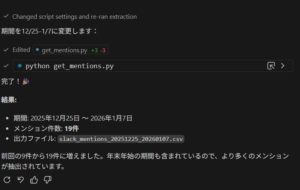
- Copilot Agent: Refine the draft in VS Code.
- Custom CLI: Publish to WordPress.
By the time the text reaches WordPress, it already conforms to the structural conventions used on the web media.
What the Custom CLI Handles
The custom CLI is not just a publishing script. It is designed to take over repetitive and distracting tasks.
Its responsibilities include:
- Converting content into stable Gutenberg block formats
- Applying predefined structural classes
- Automatically setting categories
- Automatically assigning tags
- Selecting and attaching featured images
For instance, the :::note syntax in Markdown is automatically converted into a WordPress Group block with appropriate styling.
All of these outputs are reviewed manually at the end. The key difference is that they no longer require manual input from scratch.
Why This Feels So Efficient
The main reason is the separation between thinking and execution.
- Content and logic are developed through dialogue with ChatGPT
- Structure, styling hooks, and metadata are handled consistently by the CLI
This separation removes many small but frequent decisions that used to interrupt concentration, such as choosing thumbnails, categories, or tags for every article.
Human Review Still Matters
Despite the automation, final responsibility always stays with the author.
The CLI supports the process, but it does not replace human judgment.
- Checking factual accuracy
- Confirming contextual alignment
- Verifying categorization
Conclusion
The current writing environment integrates:
- ChatGPT for structuring and drafting ideas
- Copilot Agent for in-editor assistance
- A custom CLI for publishing, structure, and metadata handling
As a result, writing articles feels less like performing tasks and more like documenting thought processes. That shift is what makes the workflow particularly effective.