
When managing a WordPress site with frequent content updates, changing URLs or consolidating articles is inevitable. The common dilemma is: “Should I edit .htaccess directly, or use a plugin?”
The conclusion is simple: for daily blog operations, using a plugin is overwhelmingly safer and easier. Among the many options, I found Ultimate Redirect to be the “just right” solution.
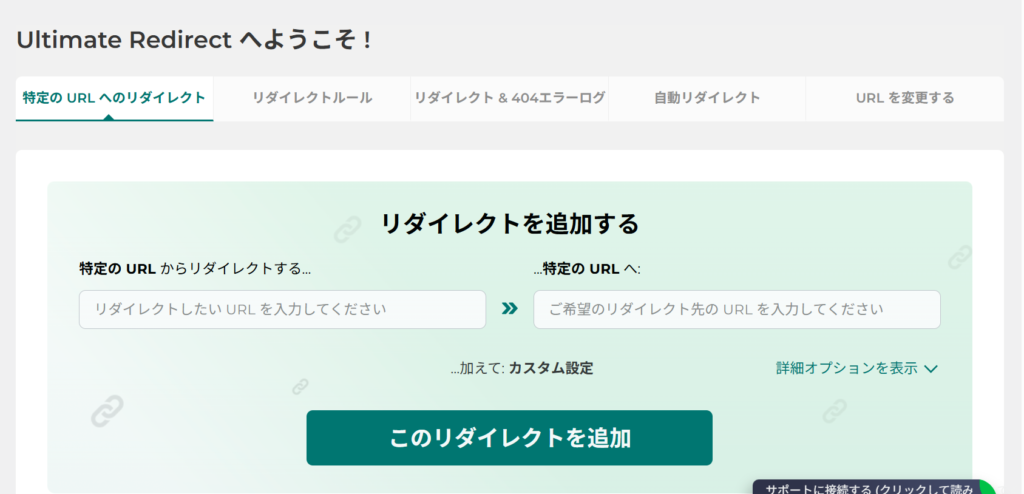
sorry it’s japanese UI
Recommendation Ultimate Redirect It’s not overly complicated, has minimal ads, and is intuitive to use. It strikes the perfect balance.
1. Why Ultimate Redirect is “Just Right”
The strength of Ultimate Redirect lies not in flashy features, but in its safe and user-friendly design.
Intuitive Interface
You simply enter the Old URL and the New URL to add a redirect. Setting up a 301 redirect is straightforward. Unlike editing .htaccess, you don’t have to worry about “bringing down the entire site with a single typo.”
Safe to Fail
If you make a mistake in a setting, you can simply disable that specific rule. Since you operate it from the WordPress dashboard, recovery is easy even if something goes wrong.
Unobtrusive
Currently, the ads are minimal and do not get in the way of your work. Since redirect management is a mundane task, low UI stress is important.
2. Advantages Over .htaccess
Redirecting via .htaccess is fast and powerful, but it has significant weaknesses:
- A single syntax error can cause the “White Screen of Death” (500 Error).
- You might lose access to the WordPress admin panel.
- Fixing and rolling back changes can be tedious (FTP/SSH access required).
With Ultimate Redirect, these risks are virtually non-existent. Since it processes at the PHP layer, it rarely causes fatal errors.
Especially for operations that involve trial and error or consolidating articles, the feeling of “safety” is a huge value in itself.
3. Who is this for?
Ultimate Redirect is perfect for the following use cases:
- You frequently add or update articles.
- You are gradually adjusting your URL structure.
- You want to preserve SEO value without generating 404 errors.
- You want to avoid touching .htaccess directly if possible.
For blog operations and personal media, it has more than enough features.
Summary
In WordPress redirect management, “safety” is the top priority. In that respect, Ultimate Redirect is neither too complex nor too lightweight—it’s just right.
If you don’t want to mess with .htaccess but need to handle 404s properly, this is a solid choice to try first.
