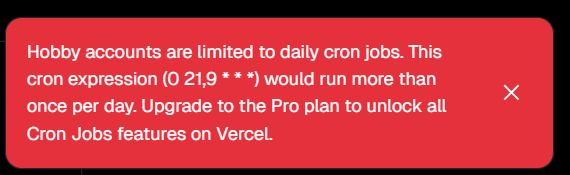
When setting up Cron Jobs on Vercel, you might encounter the following error during deployment:
Hobby accounts are limited to daily cron jobs.
This cron expression (0 21,9 * * *) would run more than once per day.
In short, this is a limitation of the free (Hobby) plan. This article explains why this error occurs and how to fix it, with actual vercel.json examples.
Summary: What is happening? On the Hobby plan, Cron Jobs are limited to once per day. Your cron expression (e.g., 0 21,9 * * *) is configured to run more than once a day, which triggers this error.
1. The Cause: Hobby Plan Limit
Vercel's Hobby plan has strict limits regarding Cron Jobs:
- Cron jobs can only run once per day.
- Cron expressions that trigger multiple times a day are not allowed.
Therefore, a setting like this will cause an error:
"schedule": "0 21,9 * * *"This expression means "Run at 09:00 AND 21:00 daily" (twice a day), which is prohibited on the Hobby plan.
2. The Solution: Change to "Once a Day"
To resolve this while staying on the free plan, you must modify your cron expression to run only once daily.
Valid Configuration
For example, running "once a day at 21:00" is perfectly fine:
"schedule": "0 21 * * *"Working vercel.json Example
Here is the configuration I used to resolve the error:
{
  "functions": {
    "api/*.js": {
      "maxDuration": 10
    }
  },
  "crons": [
    {
      "path": "/api/feed",
      "schedule": "0 21 * * *"
    }
  ]
}
Key Points:
- schedule: 0 21 * * * (Runs once a day -> OK)
- path: /api/feed (The API endpoint to execute)
With this setup, you can deploy successfully on the Hobby plan.
3. "But I need to run it twice a day!"
If you absolutely need to run your job multiple times a day, the built-in Vercel Cron on the Hobby plan won't work. You have two options:
Option A: Upgrade to Pro
The Pro plan removes this limitation, allowing for more frequent cron jobs.
Option B: Use an External Cron Service (Recommended)
Instead of using Vercel's built-in Cron, you can trigger your Vercel API endpoint from an external service. Since the request comes from outside, Vercel's cron limits do not apply.
- GitHub Actions: Create a scheduled workflow (Free tier available).
- Google Cloud Scheduler: Trigger via HTTP.
- EasyCron / Cron-job.org: Dedicated cron services.
When triggering from outside, ensure your API endpoint is accessible. You might want to add a simple authentication check (like a secret token in the header) to prevent unauthorized access.
4. How to Verify It's Working
Even if the deployment succeeds, you'll want to make sure the job actually runs.
- Open your Vercel Dashboard.
- Select your project.
- Go to the Logs tab.
- Check if there is a GET /api/feed log entry around the scheduled time (e.g., 21:00).
Summary
- The error is caused by a cron expression that runs more than once a day.
- On the Hobby plan, fix it by changing the schedule to once a day (e.g., 0 21 * * *).
- If you need more frequency, use the Pro plan or an external scheduler like GitHub Actions.
Vercel Cron Jobs are very convenient, but be mindful of the Hobby plan limitations!
