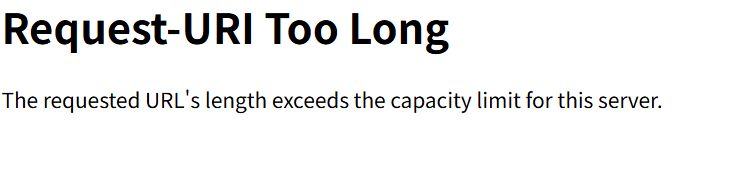
When running a WordPress site, you may occasionally encounter a 414 Error (Request-URI Too Long). This is an HTTP error returned when the URL is too long for the server to process.
Rather than being a bug specific to WordPress itself, this usually happens due to a combination of "WordPress behavior" and "server configuration".
Conclusion First: 90% of the Cause is This
The GET parameters have become abnormally long.
Search conditions, filter information, or other data appended to the end of the URL (after ?) have accumulated to the point where they exceed the server's allowable length.
4 Common Causes
1. Parameter Proliferation in Admin URLs
This is especially common in the dashboard (wp-admin).
- wp-admin/edit.php?post_type=…&orderby=…&meta_key=…
As you repeatedly use filters, searches, and sorting features, some plugins try to store the entire state in the URL, causing it to bloat over time.
2. Plugin Design Flaws
This occurs with plugins designed to stack everything onto GET parameters instead of maintaining state via Cookies or POST requests.
- Search / Filtering plugins
- Analytics / A/B Testing plugins
- Admin Dashboard Customization plugins
3. URL Bloat via Redirect Loops
This often happens around login failures or permission checks where ?redirect_to=… gets nested multiple times. Each redirect makes the URL longer, eventually hitting the 414 limit.
4. Strict Server Limits
If Apache, Nginx, or a WAF (Cloudflare, Sucuri, Akamai, etc.) sitting in front has a strict limit on maximum URL length, even a moderately long URL might get rejected.
Immediate Fixes (In Order of Priority)
Don't panic. Try these steps in order.
- Reset the URL (Most Important) Delete everything after the ? in the address bar and press Enter. If the page loads normally, the cause is 100% parameter bloat.
- Clear Admin Cache & Cookies Sometimes admin-related cookies are the culprit. Check if the issue reproduces in Incognito/Private mode.
- Disable Recently Used Plugins Suspect plugins related to "Admin Extensions," "Enhanced Filtering," or "Search Improvements." If you cannot access the admin panel, rename the relevant folder in wp-content/plugins/ via FTP to temporarily disable it.
Mitigation via Server Settings (Advanced)
If there is a legitimate reason for the URL to be long, you can relax the server limits. Note: This is a symptomatic treatment, not a root cause fix.
For Apache Add the following to .htaccess (Root privileges may be required):
LimitRequestLine 16384
LimitRequestFieldSize 16384
For Nginx Add the following to your configuration file (nginx.conf, etc.):
large_client_header_buffers 4 16k;Fundamentally, it is recommended to keep URLs short and review plugins that behave poorly.

