P: Point (Conclusion)
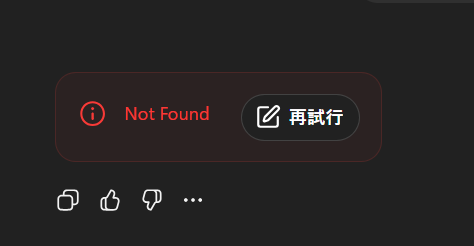
On December 2, 2025, a “Not Found” error with a “Retry” button appeared in the browser version of ChatGPT after submitting a long message. This error does not mean an actual missing page (like a 404). Instead, it typically occurs when the streaming response is interrupted, often due to long input length, minor network instability, or UI/extension interference.
R: Reason
1. ChatGPT uses streaming responses
ChatGPT sends answers gradually as a stream. If the connection is interrupted—even for a moment—the UI may fail to receive the remaining part of the stream and displays a generic error such as “Not Found.” Long responses increase the likelihood of such interruptions.
2. Long messages create heavier load
Submitting a very long prompt increases processing time. Longer processing = more time for network fluctuations or browser-side interruptions to occur. As a result, the final response may not reach the browser correctly, triggering the error.
3. Factors such as network stability or browser extensions
- Network issues: unstable Wi-Fi, VPN switching, mobile network handoff
- Browser extensions: ad blockers, script blockers, translation tools
- Server-side issues: temporary overload, model updating
These factors can all disrupt the response stream.
E: Example
Actual scenario
- Date: December 2, 2025
- Environment: ChatGPT in a desktop browser
- Action: Submitted a very long text → waited → UI showed “Not Found” + “Retry”
- No tab switching or backgrounding
Similar reports found online
Cases reported include:
- Errors after submitting long prompts
- Stream interruptions during generation
- Fixed by disabling extensions, switching browsers, or reloading the page
This pattern matches a temporary streaming interruption, not a persistent account issue.
P: Proposal (Solutions)
1. Try “Retry” first
Often the simplest fix.
2. Browser-side actions
- Reload the page
- Disable interfering extensions
- Try another browser
- Clear browser cache and cookies
3. Network adjustments
- Reconnect Wi-Fi
- Disable VPN or proxy
- Use a more stable wired or mobile connection
4. Prompt design
- Split long messages into smaller chunks
- Ask for summaries or partial outputs to reduce load
5. If the issue persists
- Test with another account or device
- Contact OpenAI support if only one account repeatedly fails
Closing
The “Not Found/Retry” error is usually caused by small interruptions during streaming, especially when handling long messages. By adjusting prompt size, checking network stability, and managing browser extensions, the issue can generally be avoided or minimized.