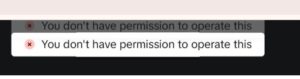
I recently submitted a TikTok ad, adjusted the text multiple times, and kept getting rejected with the same notice: “Review not approved.”
At first, I assumed it was a minor issue with the copy. But after digging into TikTok’s policies and analyzing the review result closely, I finally understood what it really meant.

The rejection reason was listed as “Product information: image.”
This wording is vague, and unless you’ve dealt with TikTok Ads repeatedly, it’s not immediately obvious. But in practice, it signals something very specific:
the image itself was categorized as violating TikTok’s advertising policies, and no amount of text changes would have fixed it.
TikTok is extremely strict about anything that could resemble misleading work-related or money-making claims. Even subtle cues inside an image can trigger an automatic rejection. In my case, TikTok likely interpreted the image as suggesting some kind of earning opportunity, qualification offer, or “easy skill” narrative—even though that wasn’t the intent. The platform’s review system evaluates not only explicit text but also visual tone, layout, button-like graphics, and UI elements that appear to suggest communication outside TikTok.
Typical triggers in this category include:
- Visuals that imply income, career advancement, or “side hustles”
- Phrases or layouts hinting at “anyone can do this,” “easy,” or “no experience needed”
- Button-shaped objects or designs resembling call-to-action UI
- Elements that look like external communication prompts (e.g., “contact,” “apply,” “swipe”)
- Screenshots or mock interfaces that suggest platform hopping
What’s important is that once TikTok flags an image as being in this risk category, the ad will not pass—even if you rewrite every line of text.
The review is tied to the media asset itself, not the caption or headline.
That’s exactly why the ad kept getting rejected. The platform had already determined that the image fell under “misleading job or money-making opportunity” risk, and every resubmission triggered the same policy filter.
The practical takeaway here is simple:
If your TikTok ad is rejected for “Product information: image,” you must replace the image entirely.
Tweaking the text won’t move the needle.
The safer approach for this type of content is to:
- Remove all income-, work-, or qualification-related implications
- Avoid UI-like shapes, button designs, or promo-style indicators
- Keep the image neutral and non-directive
- Focus on general informative or lifestyle-oriented visuals
- Use minimal on-image text, ideally none
This experience revealed something that isn’t written explicitly in the documentation:
for TikTok, the image—not the caption—is the primary source of policy violations.
And once an image is categorized as “misleading opportunity,” it’s essentially a hard stop.
If you keep refining only the ad copy, you’ll be stuck in an endless rejection loop.
Understanding this mechanism saves a lot of wasted time and helps you redesign creatives in a direction TikTok is more likely to approve.
If you want, I can also create a review-safe alternative image or propose a new ad structure that aligns better with TikTok’s policies.