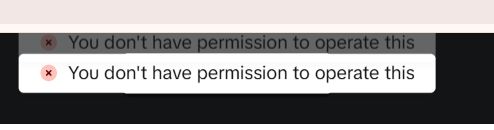
On December 23, 2025, while accessing the TikTok Ads Manager, the following error message suddenly appeared, followed immediately by a forced logout:
You don't have permission to operate this
This was not just a simple warning; the behavior escalated instantly from operation blocked → session terminated (logout), even though no specific action was taken by the user. This article summarizes the conditions under which this error occurred, along with potential causes and solutions.
Incident Report (Conditions)
The environment and conditions under which this error was confirmed are as follows:
- Date: December 23, 2025
- OS: Windows 10
- URL: https://ads.tiktok.com/i18n/manage/
- Environment: PC Browser (Normal login state)
- Action: Browsing the Ads Manager (No new creation or editing)
- Result: Error message displayed → Immediate forced logout
At this point, no password changes, permission changes, or login switches had been performed.
Nature of the Error
Based on this behavior, this is likely not a simple "insufficient permissions" UI error.
- Normal Permission Error: The operation is blocked, but logout does not occur.
- This Incident: The session itself is destroyed simultaneously with the permission error display.
In other words, it is highly likely that a failure in the permission check triggered the invalidation of the login session on the TikTok side.
Possible Causes
Based on these conditions, the possible causes fall mainly into the following categories:
- Permission Mismatch between Ad Account and Login Account The ad account exists, but the currently logged-in user is not a Business Center admin, or permissions have been changed/revoked. In this case, a permission validation error occurs upon loading the screen, leading to "Operation Impossible" → "Session End."
- Issues with TikTok Ads Permission Re-evaluation TikTok Ads Manager performs background checks like "user permission re-evaluation" and "ad account linkage verification" when the screen loads. If an inconsistency is detected, the system may default to a safety measure of forcing a logout.
- Corrupted Session/Cache Information In a Windows 10 + Browser environment, old login sessions or cached permissions can cause a contradiction: "Session assumes permissions exist" + "Actually, permissions do not exist."
Realistic Workarounds
If you encounter this behavior, follow these steps:
Fix 1: Try Logging In Again
First, try logging in again with the same account. If it was a temporary session timeout, this will fix it.
Fix 2: Check Permissions and Linkage
Verify that the ad account exists and check your permissions and ad account linkage in the Business Center.
Fix 3: Check in a Different Environment
Access the same URL from a different browser or device (e.g., smartphone app) to see if the issue reproduces. This helps determine if a specific browser cache is the cause.
Summary
Two key points to note about this error:
- ❌ It is NOT an error caused by your mistaken operation.
- ❌ It is likely NOT just a "temporary display bug."
It is more natural to consider this a structural error involving TikTok's permission logic and session management. Since this is often not a "wait and it will fix itself" issue, we recommend verifying your permission structure properly.
