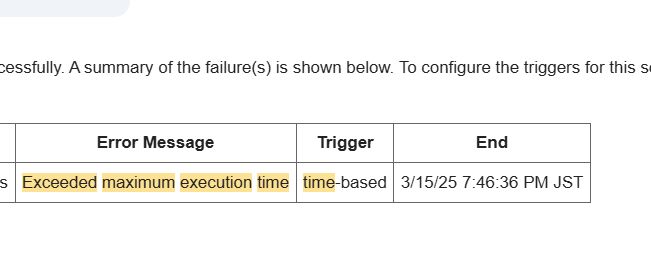
This article provides a technical breakdown of the Exceeded maximum execution time error in Google Apps Script (GAS) and offers a universal code pattern (template) to bypass it.
This guide is for developers who want to understand "why it crashes" at a code level and need a copy-paste solution.
The Technical Cause: The 6-Minute Wall
The direct cause of this error is a forced termination due to Google's Quotas.
Note: Simple triggers like onEdit die after just 30 seconds.
The Culprit: I/O Latency
The main factor consuming your execution time is I/O (Input/Output) wait time.
// ❌ Why this is slow
for (let i = 0; i < 1000; i++) {
  // Takes 0.5s - 1s per call
  SpreadsheetApp.getActive().appendRow([i]);
}
While JavaScript calculation is instant, the communication time to call Google services like SpreadsheetApp, GmailApp, or UrlFetchApp accumulates. Adding Utilities.sleep() only makes it worse, as sleeping counts towards the execution time.
The Solution: Abstract Batch Processing Pattern
The only technical solution is to "measure time during execution, stop before the timeout, and resume later."
Below is an abstract template applicable to any loop processing.
Universal Batch Processing Template
This code implements the following logic:
- Record start time.
- Check elapsed time inside the loop.
- If it exceeds 5 minutes, save the current index and exit.
- Schedule a trigger to resume the rest.
function processInBatches() {
  // 1. Get Start Time
  const startTime = new Date().getTime();
  const MAX_EXECUTION_TIME = 5 * 60 * 1000; // 5 mins (Safety margin)

  // 2. Restore State (PropertiesService)
  const props = PropertiesService.getScriptProperties();
  let currentIndex = Number(props.getProperty('CURRENT_INDEX')) || 0;

  // Get Data (e.g., 10,000 items)
  const allData = getDataFromSource();

  // 3. Loop
  for (let i = currentIndex; i < allData.length; i++) {

    // --- Heavy Process Here ---
    processSingleItem(allData[i]);
    // --------------------------

    // 4. Check Time (Current - Start)
    const currentTime = new Date().getTime();
    if (currentTime - startTime > MAX_EXECUTION_TIME) {

      // 5. Suspend: Save next index
      props.setProperty('CURRENT_INDEX', i + 1);

      // 6. Set Trigger: Resume in 1 minute
      ScriptApp.newTrigger('processInBatches')
               .timeBased()
               .after(1 * 60 * 1000)
               .create();

      console.log(`Time limit reached. Pausing at index ${i}. Next run scheduled.`);
      return; // Exit gracefully
    }
  }

  // 7. Completion
  console.log('All processing complete.');
  props.deleteProperty('CURRENT_INDEX'); // Clear state
}

// Dummy functions
function getDataFromSource() { return new Array(1000); }
function processSingleItem(item) { Utilities.sleep(100); }
Benefits of This Pattern
- Data Agnostic: Whether 10,000 or 1 million records, it processes them in 5-minute chunks.
- Safe: It exits normally before hitting the 6-minute forced termination (error).
Real-World Application
The code above is an abstract template. For a real-world log of how I actually diagnosed and fixed this error in a production "Spreadsheet row processing" job, please see the following article.
👉 How to Fix “Exceeded maximum execution time” in Google Apps Script: A Real-World Guide