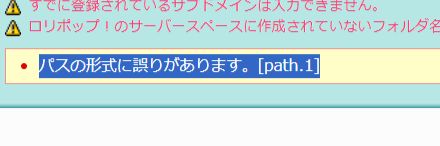
The Cause of "Invalid Path Format [path.1]" Was a Slash
Hello, this is ZIDOOKA. I encountered a slightly confusing error when trying to add a new subdomain on Lolipop! Rental Server, so I'm sharing the solution.
The Error
When I went to "Custom Domain Settings" -> "Subdomain Settings" in the user dashboard and tried to create a new one, I got the following error:
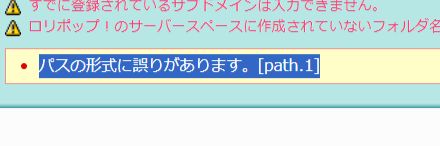
パスの形式に誤りがあります。[path.1] (Invalid path format)
It seemed to be an error with the "Public (Upload) Folder" specification.
The Cause: Leading Slash
The cause was very simple: I had put a / (slash) at the beginning of the folder path.
× Incorrect (With Slash)
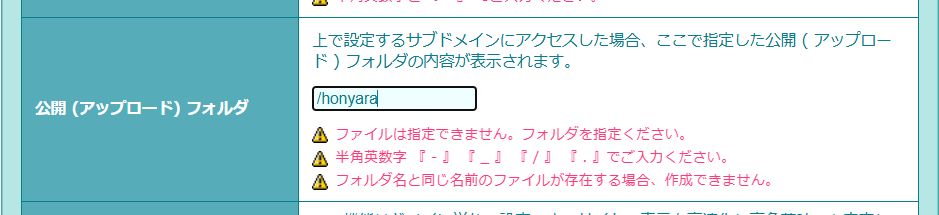
If you are used to specifying paths in Linux, you might instinctively add a / to represent the root, but in the Lolipop settings screen, this is considered a "format error".
The Solution: Remove the Slash
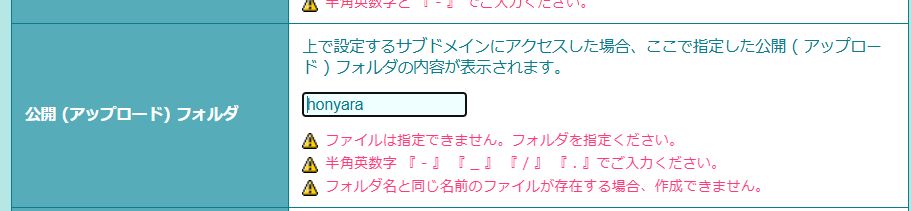
I was able to register successfully by removing the leading slash and starting directly with the folder name.
〇 Correct (No Slash)
Summary
- When specifying a public folder for a subdomain on Lolipop, do not add a
/at the beginning. - If you get an "Invalid path format" error, check the symbols in your input string.
It's a simple thing, but the error message can be a bit vague, so be careful.