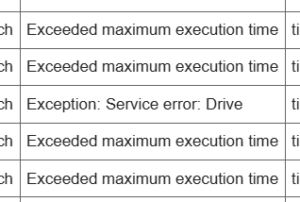
When working with Google Apps Script, you may encounter an “INTERNAL error” even though the code is completely correct. This is one of the most confusing errors in GAS because it appears without any meaningful explanation. I have also experienced a situation where everything seemed fine, yet an INTERNAL error suddenly occurred while calling an external API. The failure looked random, but after investigating the environment patterns, the cause became clear.
The important thing to understand is that this error often does not originate from the developer’s mistake. More commonly, it is triggered by temporary failures inside Google’s internal API, spreadsheet edit conflicts, external API latency, or excessive write operations that cause the GAS runtime to become unstable. In my development environment, a slow response from UrlFetchApp repeatedly caused INTERNAL errors, and simply adding a retry mechanism significantly improved stability.
Given these characteristics, the best approach is to “reduce the internal bottlenecks that GAS easily gets stuck on and allow automatic recovery when something goes wrong.” Practical methods include adding retry logic to UrlFetchApp calls, batching write operations to spreadsheets, preventing conflicts with LockService, and reauthorizing permissions when needed. For external APIs, latency, SSL issues, or redirect failures are often the direct triggers of INTERNAL, so reviewing timeout and fetch options is crucial.
Below is a minimal retry example that dramatically increases stability in real use:
function fetchWithRetry(url, options = {}, maxRetry = 3) {
  for (let i = 0; i < maxRetry; i++) {
    try {
      return UrlFetchApp.fetch(url, options);
    } catch (e) {
      Utilities.sleep(500 * (i + 1));
      if (i === maxRetry - 1) throw e;
    }
  }
}
For spreadsheet-related INTERNAL errors, switching from single-cell writes to batched writes often reduces load enough to prevent failures. If simultaneous edits are possible, LockService becomes an essential safeguard.
Ultimately, the INTERNAL error is not truly mysterious—it tends to occur at predictable choke points within the GAS environment. By applying even one of the countermeasures above, you can significantly reduce the frequency of sudden execution failures. If you’re facing recurring INTERNAL errors, try implementing these steps one by one and observe the improvement.