Google Apps Script (GAS) "Rhino Runtime" support will end on January 31, 2026. Accordingly, all GAS projects must be migrated to the "V8 Runtime".
"What will happen?" "What should I do?" "Will it break?"
To resolve such anxieties, we have summarized the information necessary for V8 migration into 3 articles. If you read these three, your migration work will be perfect.
1. First, Understand the Situation
You saw the "Rhino Deprecation" warning, but what exactly will happen? First, let's correctly understand the background and schedule.
👉 What is the "Rhino Deprecation / Jan 31, 2026 Support End" in GAS?
- What is Rhino?
- Why is it being abolished?
- What is good about V8?
2. Specific Switching Steps
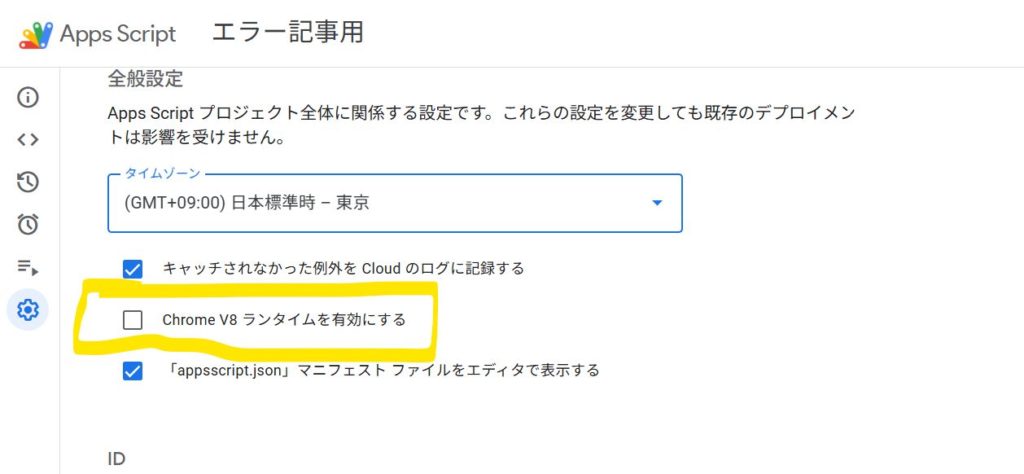
Once you understand, actually switch the settings. The work itself is very simple, but how to confirm "if it really switched" is important.
👉 Steps to Switch GAS from Rhino to V8 and How to Confirm It
- Switching steps that end in 3 clicks
- Test code for confirmation
- What happens if you don't switch?
3. Pitfalls (Code Correction)
After switching to V8, errors may occur. Be especially careful if you are using "old code copy-pasted from the net". We introduce 5 typical "breaking patterns".
👉 Why Copy-Pasting Rhino-Era Code is Dangerous: 5 "Old GAS Styles" That Break in V8
- The trap of for each
- var and scope issues
- Date.getYear() bug
- Reserved word conflicts
Summary
Migrating to V8 is a positive change to use GAS in a more modern and faster environment. Proceed with the migration without fear, but carefully.