In Google Apps Script (GAS), async/await syntax is supported under the V8 runtime. However, its practical usefulness is limited and misunderstood.
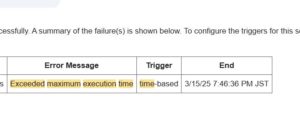
Many developers assume that adding async/await will speed up their scripts or enable parallel execution—neither of which is true in GAS. Understanding when async/await actually helps (and when it doesn't) is essential to writing efficient, maintainable code.
[The Bottom Line] async/await in GAS is "Limited"
The key point is simple: async/await only makes sense when you are awaiting a Promise.
In GAS, async/await is not about speed or concurrency. It is a code readability and structure tool for Promise-based logic.
Performance improvement is not guaranteed.
[Prerequisites] V8 Runtime Required
Modern GAS uses the V8 runtime by default, which allows you to define async functions without errors:
async function test() {
  return "ok";
}
However, the fact that syntax is supported does not mean it is practically useful. Understanding the distinction is crucial.
[Valid Use Case 1] Awaiting Custom Promises
async/await makes genuine sense when the awaited value is an actual Promise:
function wait(ms) {
  return new Promise(resolve => {
    Utilities.sleep(ms);
    resolve();
  });
}

async function main() {
  Logger.log("start");
  await wait(1000);  // ← Wait for the Promise
  Logger.log("end");
}
Benefit: Clearer execution flow; more readable than .then() chains
Limitation: Execution time remains unchanged. The script still waits 1 second.
[Valid Use Case 2] Wrapping Synchronous APIs for Clarity
GAS APIs like UrlFetchApp.fetch() are synchronous. Wrapping them in Promises enables cleaner async/await code:
function fetchAsync(url) {
  return new Promise(resolve => {
    try {
      const res = UrlFetchApp.fetch(url);
      resolve(res);
    } catch (e) {
      throw e;
    }
  });
}

async function main() {
  Logger.log("fetching...");
  const res = await fetchAsync("https://example.com");
  Logger.log("response received");
  Logger.log(res.getContentText());
}
Benefit: Code structure is improved; no callback hell
Caveat: No actual parallelization occurs. The code simply reads better.
[Valid Use Case 3] HTMLService (Web Apps & Sidebars)
Unlike GAS server code, HTMLService (browser-side JavaScript) runs truly asynchronously. Here, async/await is genuinely valuable:
async function callGAS() {
  const result = await new Promise((resolve, reject) => {
    google.script.run
      .withSuccessHandler(resolve)
      .withFailureHandler(reject)
      .serverFunction();
  });
  console.log(result);
}

// Usage
callGAS();
For web apps, sidebars, and dialogs, use async/await liberally. Real asynchronous execution happens on the browser side.
[Ineffective Case 1] Standard GAS Services (No Promise)
SpreadsheetApp, DriveApp, GmailApp, and other built-in services are purely synchronous:
// ❌ This accomplishes nothing
async function badExample() {
  const sheet = SpreadsheetApp.getActiveSheet();
  await sheet.getRange("A1").getValue();  // ← Returns a value, not a Promise
}

// ✅ Correct approach
function goodExample() {
  const sheet = SpreadsheetApp.getActiveSheet();
  const value = sheet.getRange("A1").getValue();
}
Adding await to synchronous code:
- Does not create a Promise
- Does not make it asynchronous
- Does not improve performance
- Only makes the code harder to read
[Ineffective Case 2] Attempting Parallel Execution
// ❌ Syntax is valid, but execution is still sequential
async function parallelFail() {
  await funcA();  // 1 second
  await funcB();  // 1 second
  // Total: 2 seconds (NOT parallel)
}

// ❌ Promise.all() also doesn't parallelize GAS APIs
async function parallelFail2() {
  await Promise.all([funcA(), funcB()]);
  // GAS API calls still execute sequentially
}
Even with Promise.all(), GAS built-in API calls do not parallelize. The execution model does not support true concurrency for GAS service calls.
[Practical Decision Guide] When to Use async/await
✅ Use async/await when:
- Awaiting custom Promises
- Wrapping logic in
.then()chains for readability - Writing HTMLService (browser-side) JavaScript
- Prioritizing code clarity over marginal performance
❌ Avoid async/await when:
- Calling SpreadsheetApp, DriveApp, or GmailApp directly
- Trying to improve script execution speed
- Attempting to parallelize GAS API calls
- Writing simple batch processing logic
[Common Misconceptions] Clarification Table
| Misconception | Reality | Correct Understanding |
|---|---|---|
| async makes code faster | No speed improvement | It improves code structure only |
| await enables parallel execution | Still sequential in GAS | Promise waiting, not parallelization |
| async = asynchronous execution | Requires Promise return | Promise is a prerequisite |
| Can parallelize multiple GAS calls | No, still sequential | GAS APIs don't support true concurrency |
[Summary] The Proper Role of async/await in GAS
In Google Apps Script, async/await is:
- Not a performance optimization tool
- Not a solution for parallel execution
- A code clarity mechanism for Promise-based workflows
Understanding this distinction prevents unnecessary complexity. Developers who misunderstand async/await often end up with code that is:
- More verbose
- No faster
- Harder to maintain
The optimal approach is to use async/await only where it genuinely adds clarity, particularly when wrapping Promise-based logic or working in HTMLService contexts.
Reserve your energy for actual performance improvements (like batch processing, query optimization, or caching strategies) rather than adding async/await where it doesn't belong.