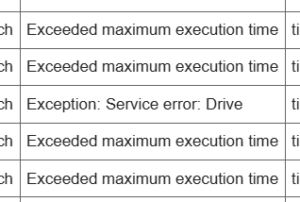
When working with Google Apps Script (GAS), you may sometimes see the “DEADLINE_EXCEEDED” error, which means your script stopped before completing. This happens because GAS has strict limits on how long a script can run. Although the message looks intimidating, the cause is simple, and the solutions are easy to apply.
GAS allows a maximum of about 6 minutes for manual runs or time-driven triggers, and about 30 seconds for Web Apps or webhook executions (such as doPost). If your script cannot finish within those limits, GAS forces it to stop and shows this error.
The most common reason for this issue is heavy or inefficient processing. A typical example is writing to a spreadsheet row by row. Code like the following tends to be very slow:
// Inefficient: writing one row at a time
for (let i = 1; i <= 1000; i++) {
  sheet.getRange(i, 1).setValue("OK");
}
A much faster approach is batching operations:
// Efficient: writing all rows at once
const values = Array.from({length: 1000}, () => ["OK"]);
sheet.getRange(1, 1, 1000, 1).setValues(values);
This simple change reduces execution time dramatically.
For large datasets, it’s also helpful to divide the process into smaller chunks using PropertiesService to save progress:
function processInChunks() {
  const prop = PropertiesService.getScriptProperties();
  let start = Number(prop.getProperty("startRow") || 1);
  const chunkSize = 200;

  const sheet = SpreadsheetApp.getActiveSheet();
  const lastRow = sheet.getLastRow();

  for (let i = start; i < start + chunkSize && i <= lastRow; i++) {
    // Your task here
  }

  prop.setProperty("startRow", start + chunkSize);

  if (start + chunkSize <= lastRow) {
    console.log("Continuing next run");
  } else {
    console.log("Complete");
    prop.deleteProperty("startRow");
  }
}
This technique helps keep each execution short and safe within time limits.
If your script calls external APIs frequently (for example via UrlFetchApp), reducing the number of requests or using caching often helps.
In short, DEADLINE_EXCEEDED is not a dangerous error—it’s a sign that your script can become faster and more stable with a few simple optimizations. If you’d like me to review your specific script, feel free to share it anytime.
Ref.Ref.
- Google Apps Script Quotas
https://developers.google.com/apps-script/guides/services/quotas - Apps Script Best Practices
https://developers.google.com/apps-script/guides/support/best-practices - UrlFetchApp Reference
https://developers.google.com/apps-script/reference/url-fetch/url-fetch-app