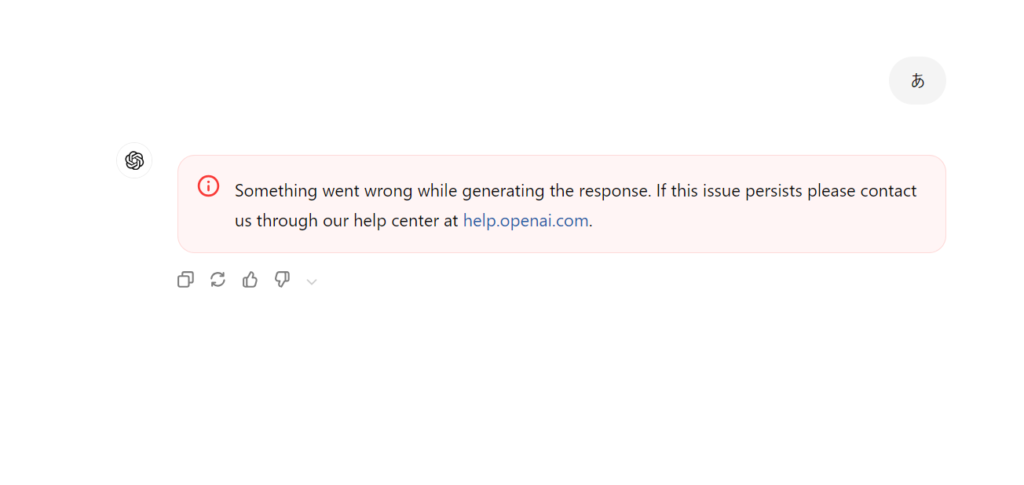

Why This Happens
This error message usually appears when ChatGPT cannot complete a response due to overloaded servers, browser-side issues, or a request that is too long or too complex. In most cases, the problem is not with your device but with how the data is being sent or processed.
What You Should Do First
The fastest fix is to refresh the conversation or resend the message after editing it slightly. Many users report that simply reducing the message length or splitting it into smaller parts solves the issue immediately.
The Most Reliable Solutions
To prevent this error from interrupting your work, the following steps are effective:
- Shorten long inputs
Extremely long prompts can fail to process. Split them into multiple messages. - Clear browser cache
Old session data can cause request failures. - Disable browser extensions temporarily
Ad-blockers or script-blocking extensions sometimes break the ChatGPT interface. - Reload the page or switch browser
Chrome works best overall, but Safari and Firefox occasionally avoid this error. - Use the ChatGPT Desktop or Mobile App
These apps tend to be more stable than the browser version, especially when generating long responses.
Conclusion
This error rarely indicates a serious problem. In most cases, adjusting the input or refreshing the environment quickly restores normal operation. If the issue persists, splitting the request or restarting the session works almost every time.
Similar Error: something went wrong generating response
Sometimes the error message appears in a shortened form, such as something went wrong generating response without the word while. This variation is functionally identical to “Something went wrong while generating the response.” The root cause does not change.
Common triggers:
- Temporary server congestion
- A brief network interruption
- Browser session issues
If you see this shorter version, simply try the same fixes described in the main article.
Image Variant: something went wrong while generating your image
When generating images with ChatGPT or other AI models, a slightly different message may appear: something went wrong while generating your image.
This usually happens when:
- Image models are under heavy load
- Multiple images are generated at once
- GPU memory is temporarily unavailable
- The model switches or updates during generation
Recommended solutions:
- Retry after a short wait
- Switch the model to a lighter or fallback version
- Reload the browser
Although the wording is different, the underlying cause is very similar to the text-generation error.
Meaning of Something went wrong… (English Explanation)
Many users simply want to know what the message means. The phrase:
“Something went wrong while generating the response.”
can be interpreted as:
“A problem occurred on the server or during the generation process.”
It does not necessarily indicate an issue with your device. In most cases, nothing is wrong on the user side.
Summary of Common Causes Across All Variants
Most Something went wrong messages come from a small set of frequent triggers:
- High server load on the AI provider’s side
- Model resource limitations
- Brief connectivity issues
- Browser session or cookie errors
- Overloaded prompts or requests
Because of this, the most effective actions are:
- Retry after a moment
- Refresh the session
- Change the model
- Reduce request complexity
These solutions resolve the majority of cases for both text and image versions of the error.
