
Introduction
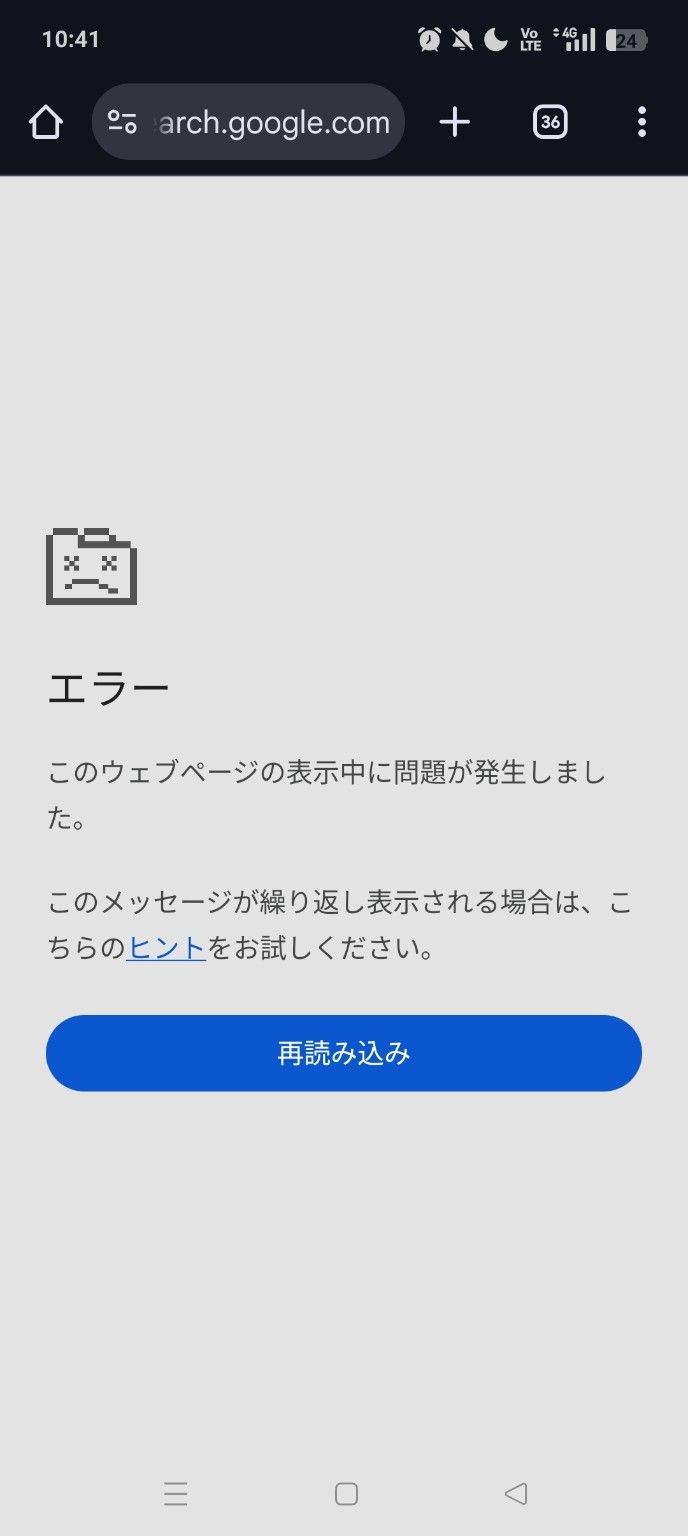
When opening Google Search (search.google.com) on an Android smartphone, you may encounter a screen that says:
Error A problem occurred while displaying this webpage.
This error often persists even after reloading the page. It is particularly common when using Chrome or mobile data (4G/5G), leading many to wonder if Google is down.
This article outlines the most common causes reported by users and provides a step-by-step troubleshooting guide that resolves the issue in most cases.
Characteristics of this Error
This error has several common characteristics:
- It only occurs on search.google.com.
- Reloading the page results in the same error screen.
- It may resolve itself spontaneously after a while.
- It might happen on mobile data but not on Wi-Fi.
- It often works fine in Incognito mode.
These signs indicate that the page itself is not broken, but rather something local or connection-related is interfering.
Cause 1: Inconsistency between Google Search and Browser Cache
The most common cause is a temporary corruption of:
- Chrome's cache
- Google Search session information
Google Search maintains detailed internal states for page transitions, scrolling, and search criteria changes. If this state becomes inconsistent, this error screen appears.
Solution
- Open Chrome Settings.
- Go to "Privacy and security".
- Tap "Clear browsing data".
- Select Cached images and files only and clear data.
Note: You usually do not need to clear Cookies.
Cause 2: Connection Issues (Especially Mobile Data)
On 4G/5G networks, factors such as:
- Packet loss or intermittent connection
- DNS switching
- IPv6 / IPv4 switching
can occur frequently, potentially clashing with Google Search's dynamic rendering.
Solution
- Switch to Wi-Fi temporarily.
- Toggle Airplane mode ON and then OFF.
- Turn off VPN temporarily if you are using one.
In many cases, these simple steps fix the issue immediately.
Cause 3: Chrome Extensions or Ad Blockers
Even on Android Chrome, certain apps can interfere with search result rendering:
- Ad blockers
- DNS apps
- Security apps
How to Isolate the Issue
- Try opening the page in Incognito mode.
- Try searching using the Google App instead of Chrome.
If the page loads correctly in these cases, an extension or background app is likely the cause.
Cause 4: Temporary Glitch on Google's Side
Although rare, display errors can occur for specific users due to:
- Google Search A/B testing
- Immediately after a new UI rollout
In this case, there is nothing you can do but wait. It usually resolves itself naturally within a few minutes to a few hours.
Why Doesn't "Reload" Fix It?
This error occurs:
- Before the page HTML is fully retrieved
- Or during the JavaScript execution phase
Because the process stops halfway, reloading simply reproduces the same broken state. Clearing the cache or switching connections is effective because it forces a reset of this internal state.
Summary
If you see "A problem occurred while displaying this webpage" on Google Search:
- Clear Chrome's cache.
- Switch connections (Wi-Fi / Airplane mode).
- Check in Incognito mode.
- Wait a while.
Trying these steps in order will almost certainly resolve the issue.
Rest assured, Google Search itself is likely not broken, so stay calm and try these fixes.
